no noise. no clutter. nothing but cycling.
Designed for
absolute focus.
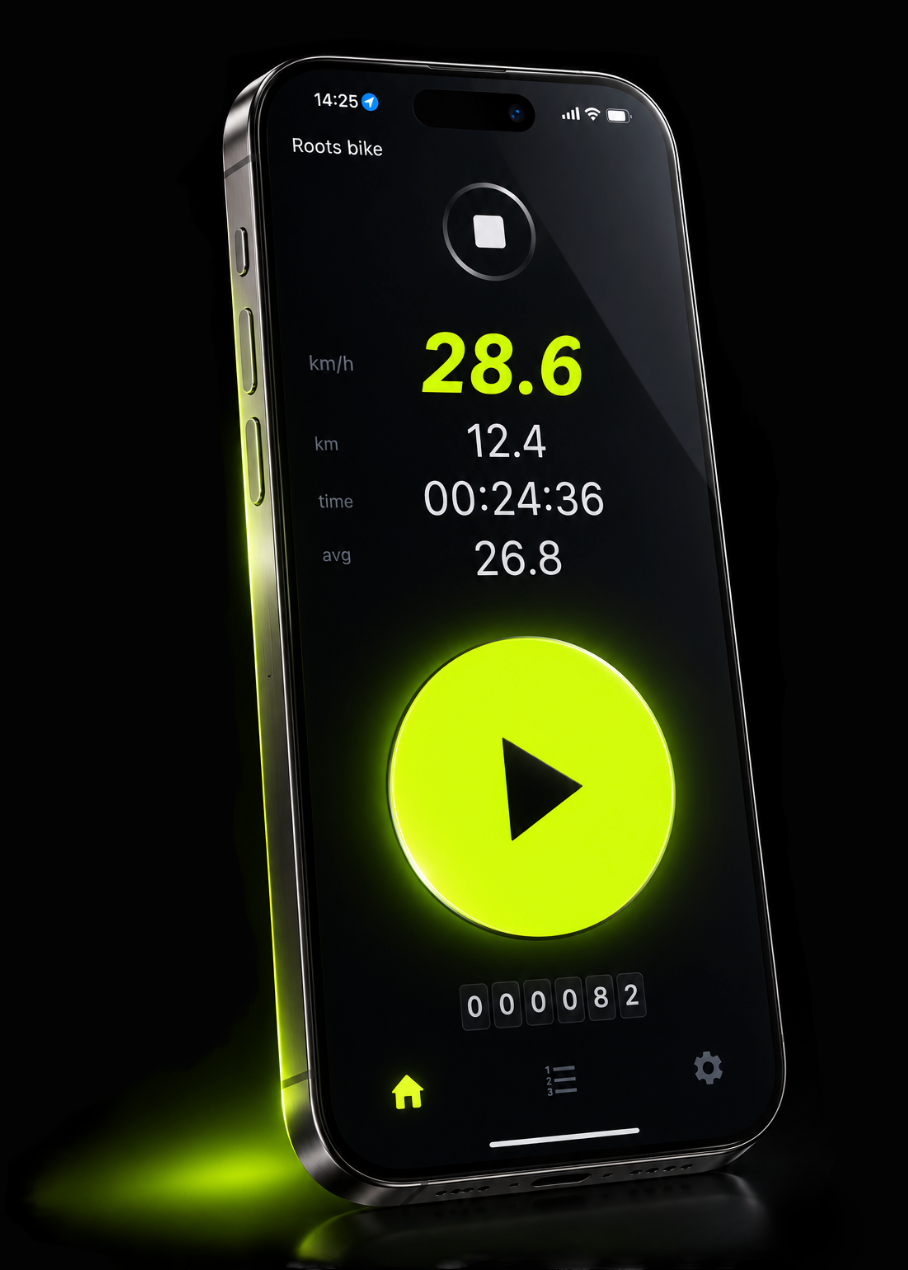
As a developer and cyclist, I built NNCNC to eliminate the digital noise of modern telemetry. Inspired by hardware computers and high-performance engineering, this tracker brings core metrics to the front with uncompromising speed and visual clarity.
Your bike.
Not just your ride.
NNCNC tracks the bike as well as the rider. An odometer counts every kilometre, and service reminders tell you when the chain, brakes or cables are due — before something starts making noises on the road. Ride history and per-ride effort scoring come as standard.
Free forever.
No subscriptions.
No accounts. No cloud servers. No ads. Every core feature is free and stays free — there is no trial and nothing is locked behind a paywall.




Your number, up front.
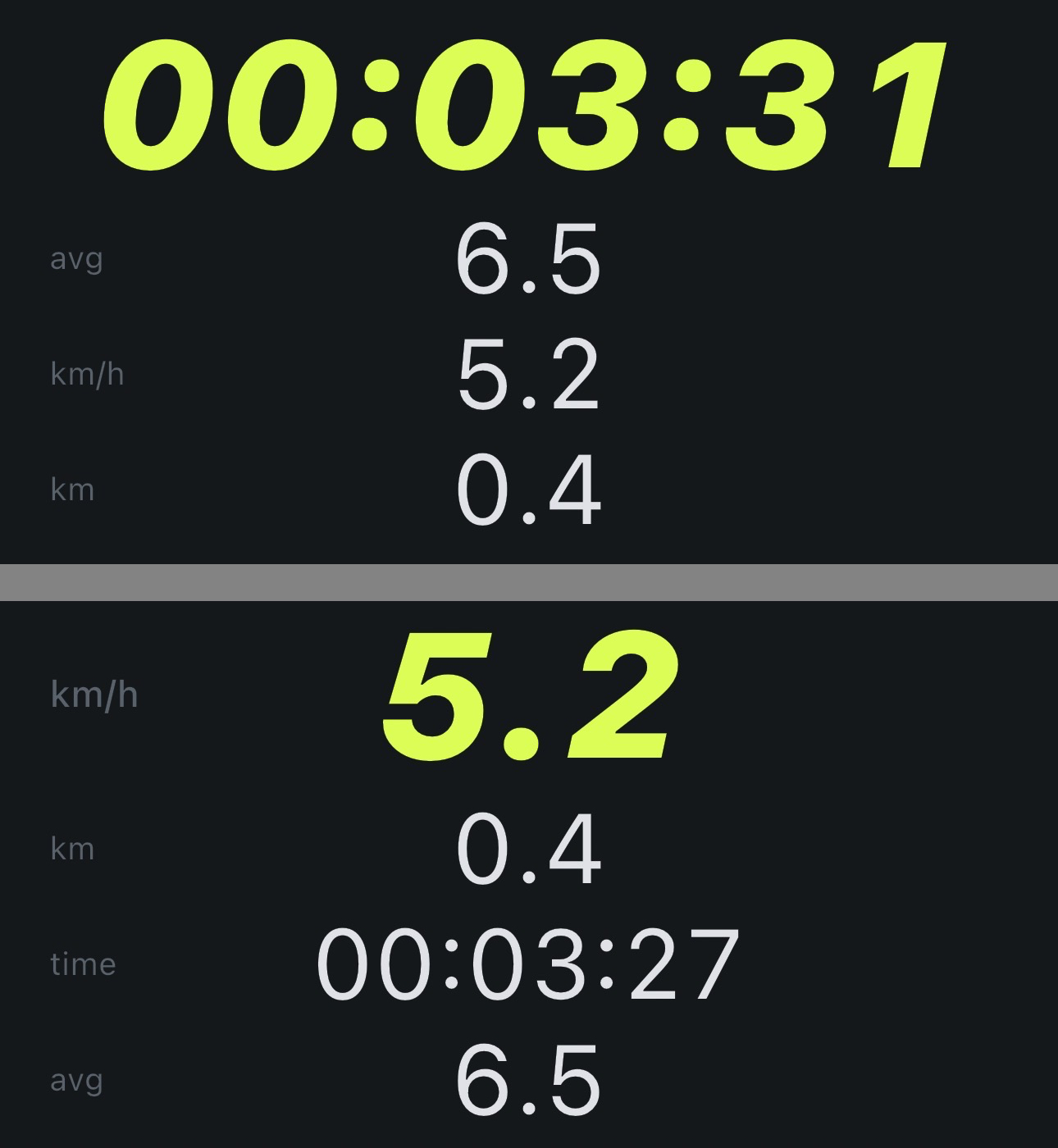
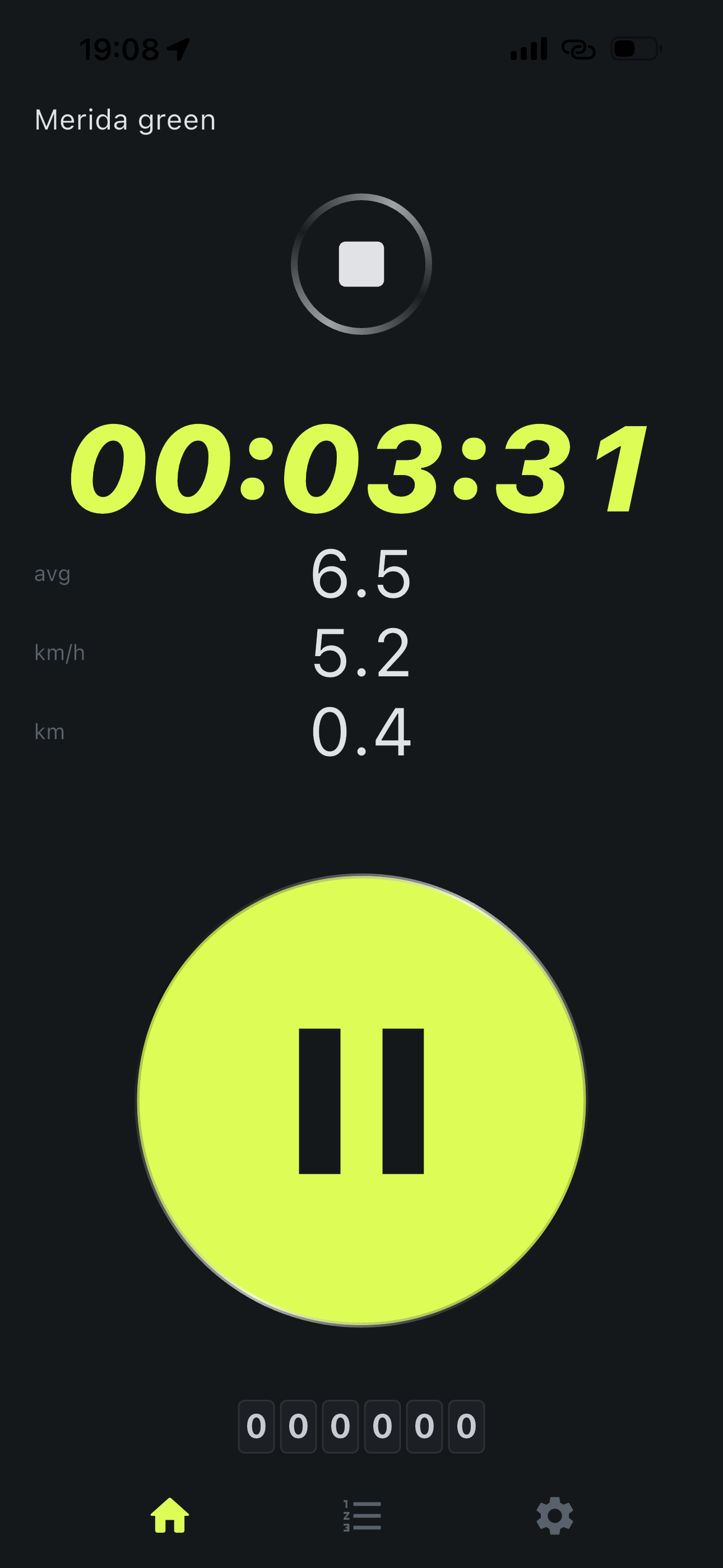
Most bike computers have already decided that speed is the most important thing on your screen. NNCNC lets you decide. Swipe up or down on the big number and it moves through speed, distance, time and average — whichever one matters on this ride takes the large slot, and the other three stay below in smaller type.
The gesture works without looking: one thumb, no menu, nothing to confirm. On a climb you might want average. On the way to work, time. On a long ride, distance. The screen follows whatever you're actually thinking about.
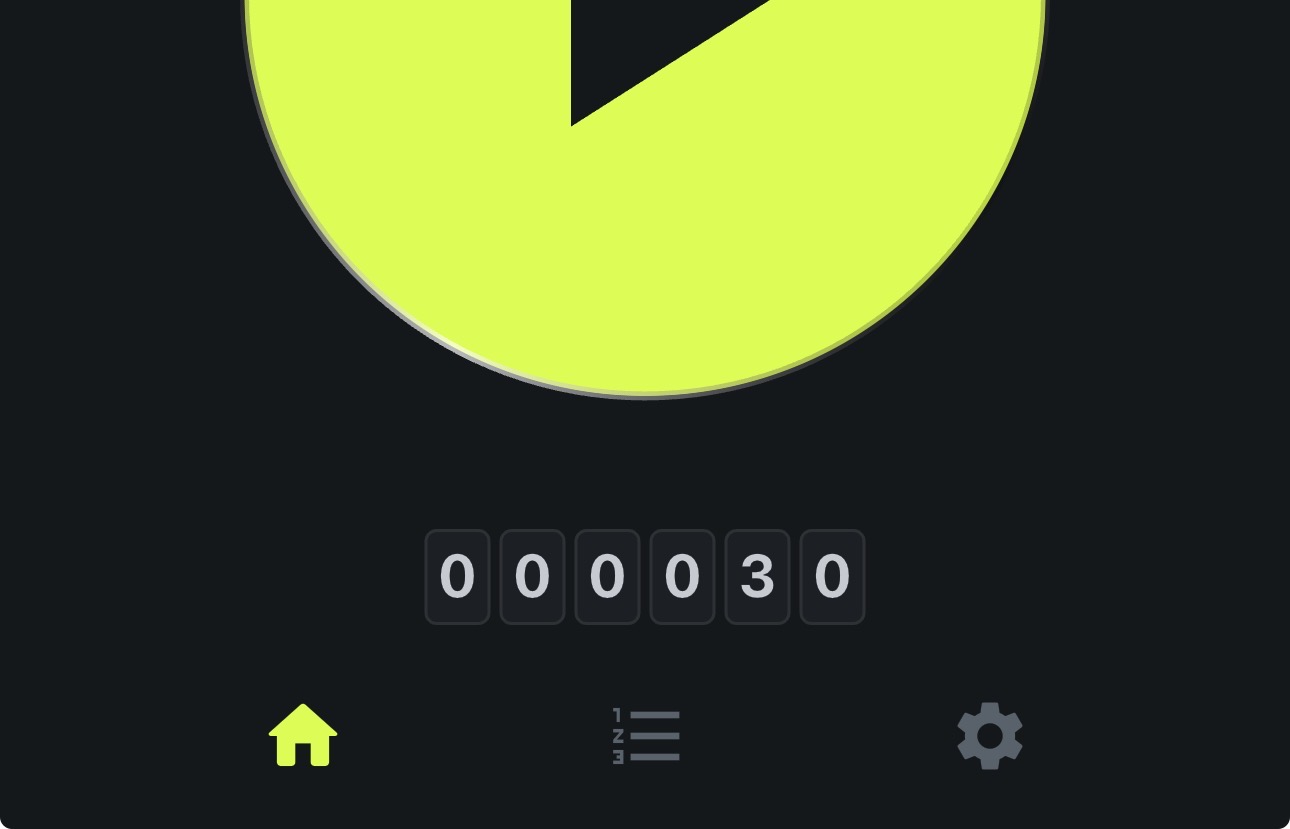
The odometer is always there.
Total kilometres for the current bike sit on the home screen, not behind a statistics tab three taps deep. You see them every time you start a ride.
That placement is deliberate, because the odometer is what service intervals are measured against. When a component goes past the interval you set, the number turns red — before you leave, while you can still do something about it, rather than halfway up a climb.
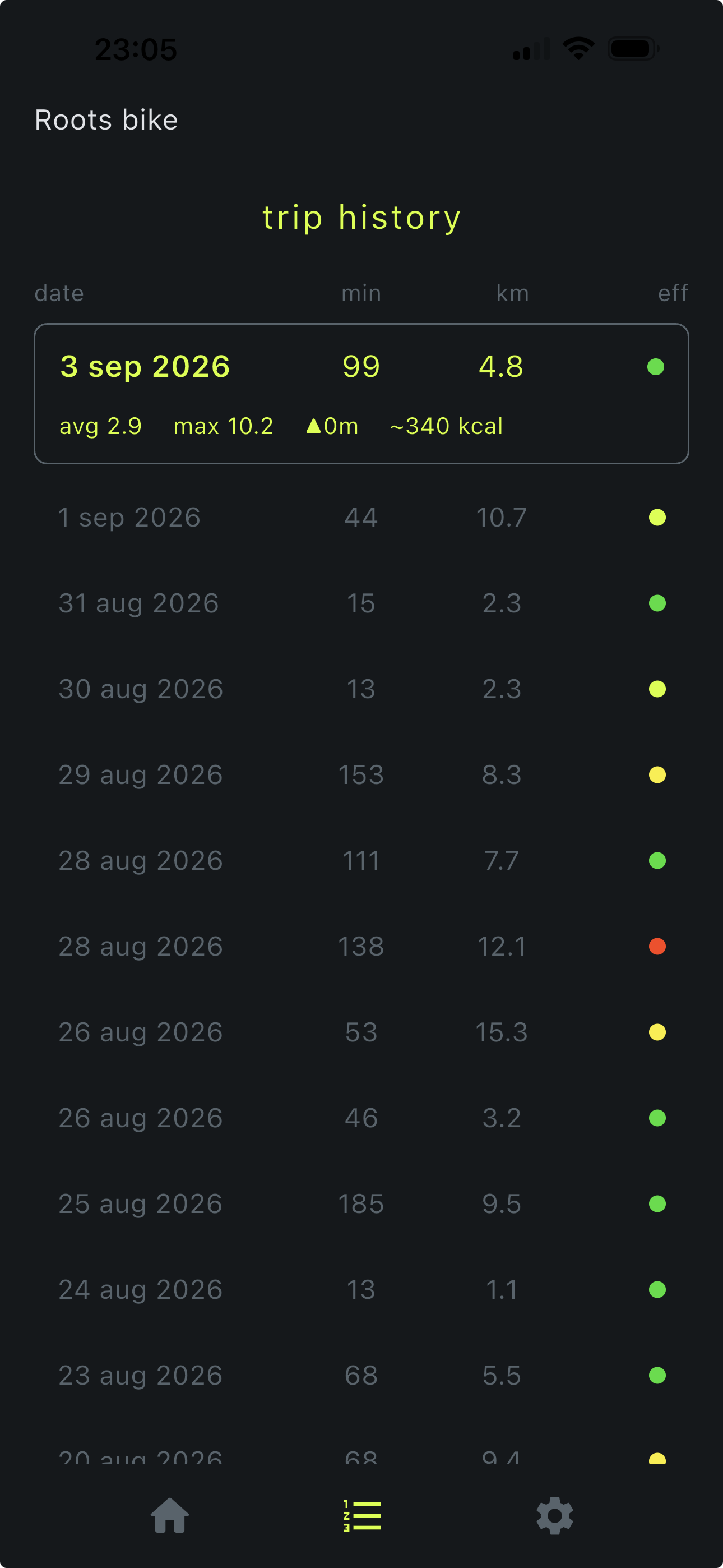
Every ride. Yours to delete.
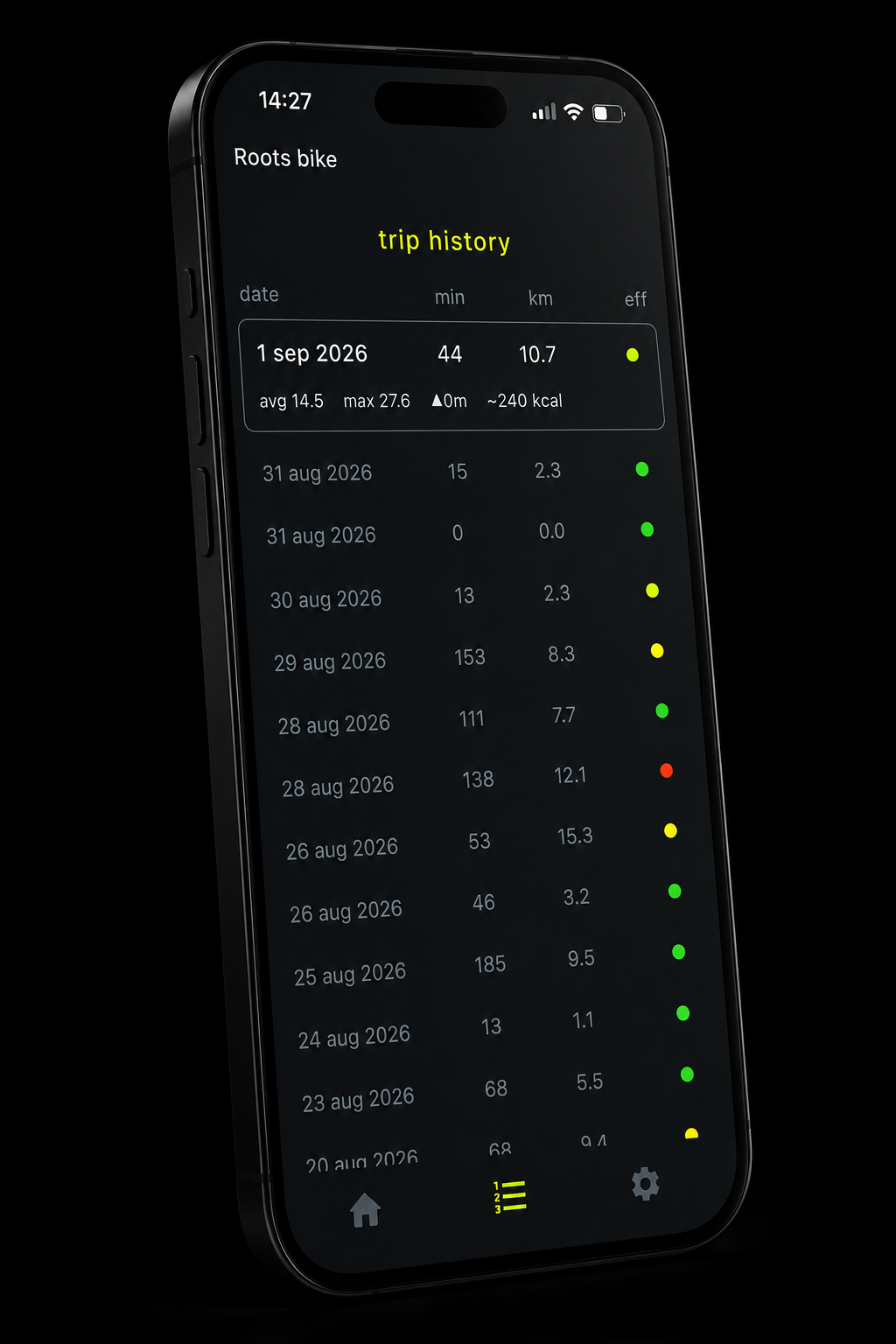
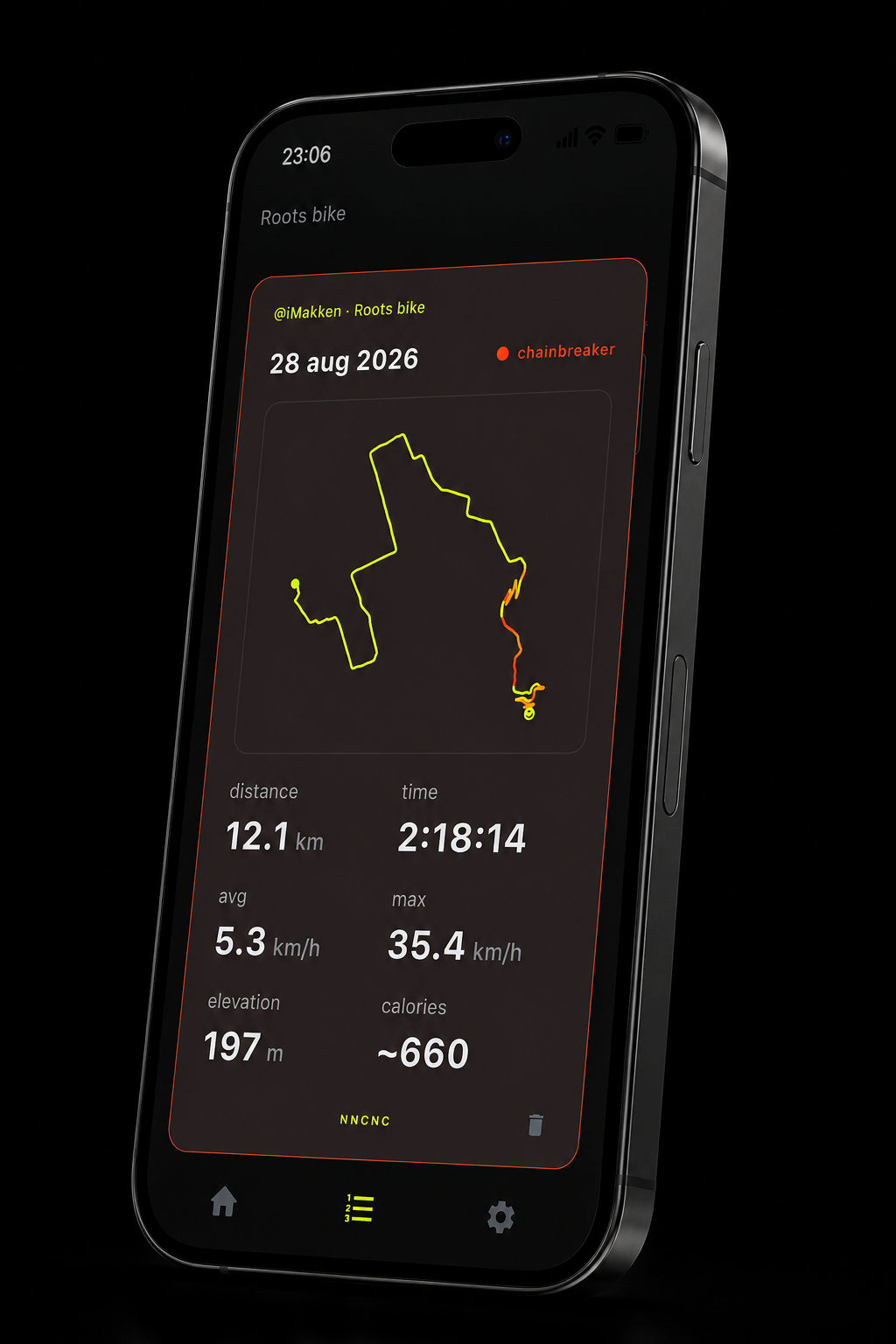
Each finished ride lands in the history: date, distance, time, average and maximum speed, elevation gain, calories, and the route as a curve. All of it stays on the phone, in full, for as long as you keep the app.
And because it's yours, any ride can be deleted for good — a false start, a test, one you'd rather not keep. Deleted means gone. There is no copy on a server, no archive to restore from, nothing quietly retained.
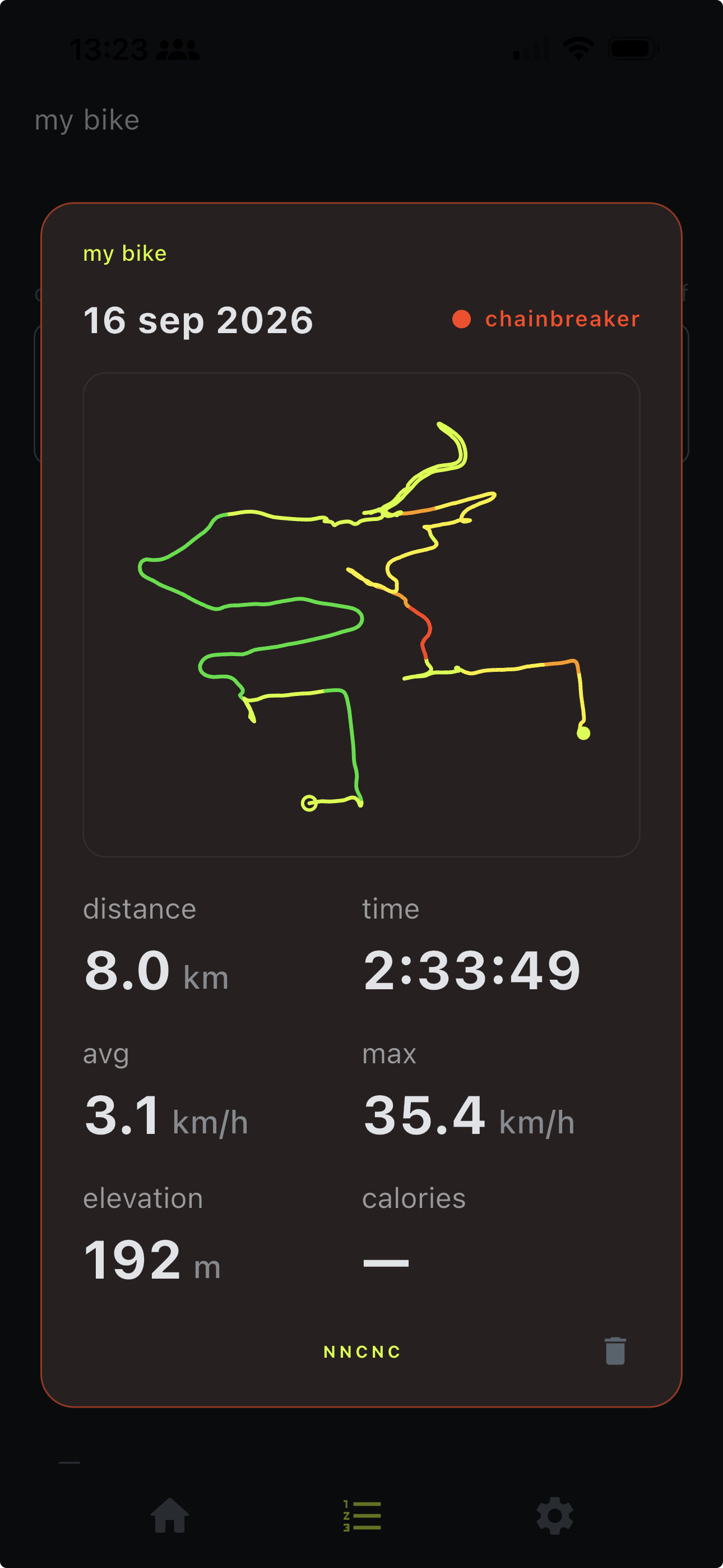
Post the ride. Keep the address.
Finish a ride and it becomes a card: your route drawn as a glowing line on black, with the numbers underneath. There is no map behind it — no streets, no labels, no pin on the house you set off from.
The shape means something to you and nothing to a stranger. Share it in a chat, post it, send it to a friend who rides. A screenshot from an ordinary tracker tells anyone who looks where you live. This one doesn't.
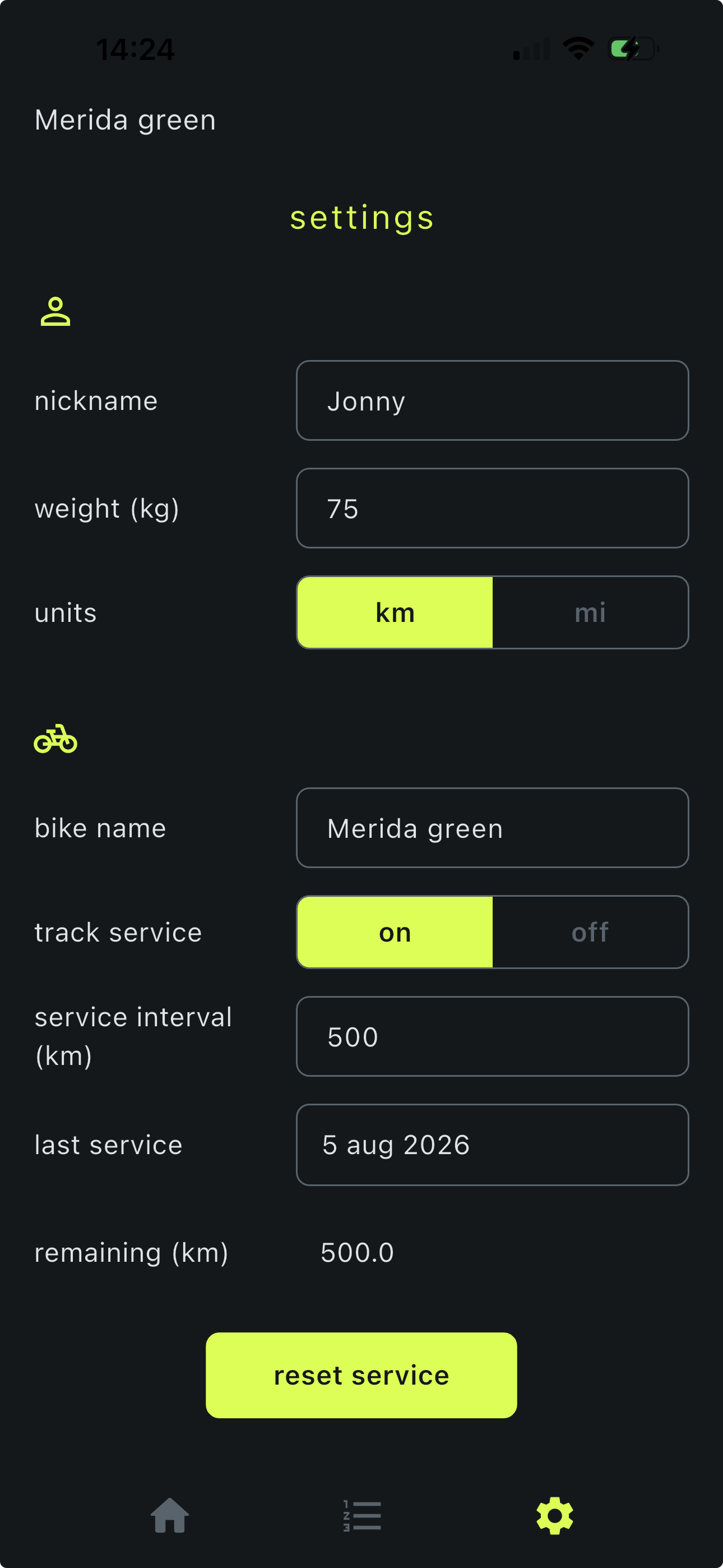
Set your own service intervals.
You choose the interval for each component yourself — chain, brakes, cables — in kilometres, because kilometres are the unit wear actually happens in. The app counts from your last service and tells you what's coming due.
This isn't a pleasant extra. A chain wears out long before it ever breaks, and a worn chain grinds down the cassette and chainrings along with it. Replace it on time and it's a cheap consumable; miss it and you're buying the whole drivetrain. Brake pads are the same story with worse consequences. Most people don't track any of this, because nothing tracks it for them — a bike has no odometer of its own.
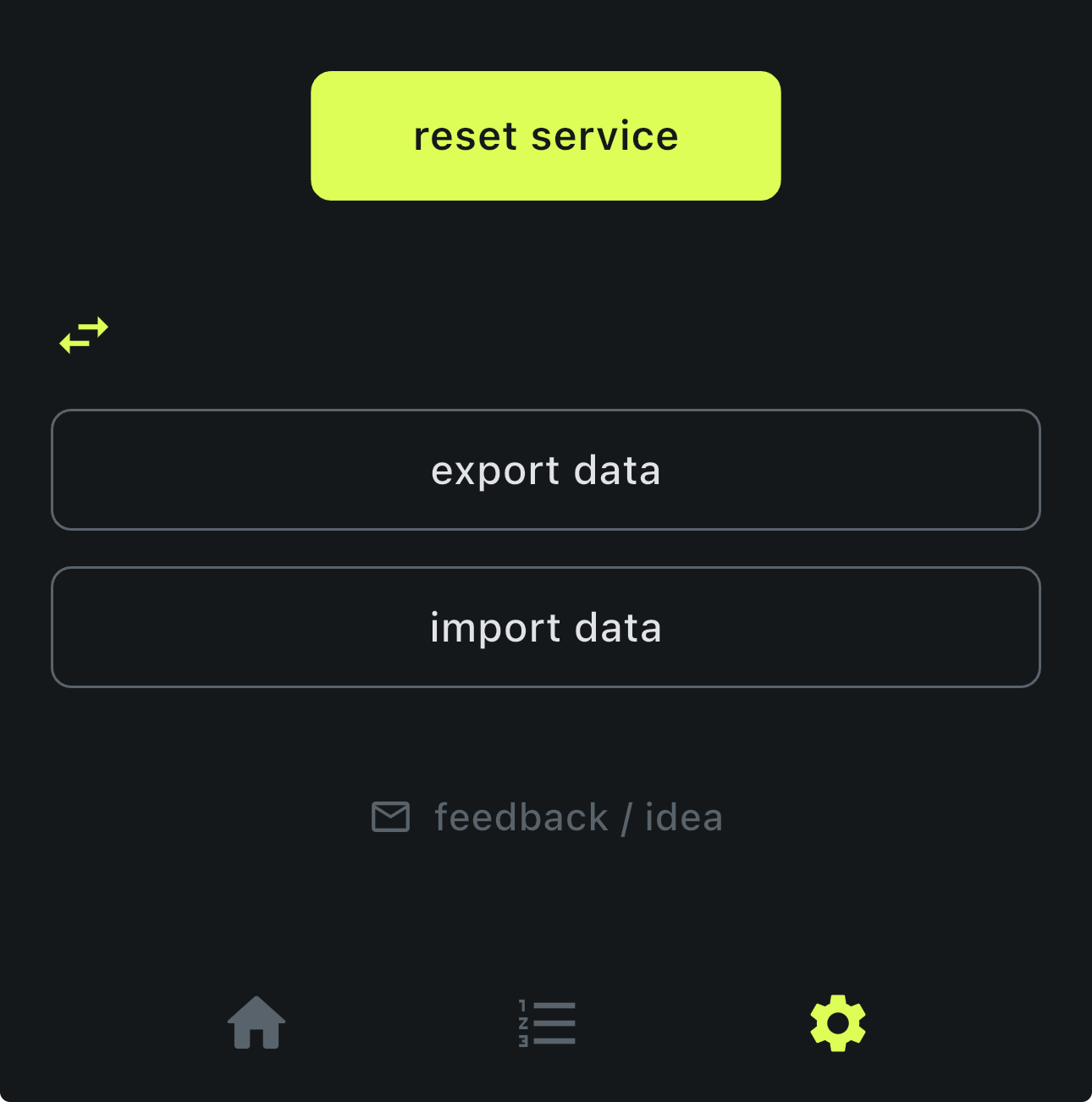
New phone? Take it all with you.
export data writes your entire history — every ride, every bike, every setting — into one file and hands it to the system share sheet. From there it's yours: save it to Files, drop it in iCloud Drive, send it to yourself in a message. import data reads it back on the new phone.
It works between iPhone and Android in both directions, and the file goes wherever you send it without passing through us. Changing phones shouldn't cost you three years of riding.
Nothing to sign up for.
No account, no email, no password, no profile to fill in. No analytics, no advertising, no crash reporting running in the background.
More to the point: there is no NNCNC server. Not a server we promise not to look at — infrastructure that was never built in the first place. Your rides stay on the phone because there is physically nowhere else for them to go, and the privacy label on the App Store reads Data Not Collected because there is nothing to collect.